
FREE: 300 Christmas Ornament Designs for Laser Cutting
DESIGNEROOH is sharing a free pack of 300 Christmas ornament designs so makers can start their holiday laser projects early. Download the folder, check the included files, and prepare your favourites for your own machine and software.
Opens Google Drive in a new tab. Please check the folder for the file formats and any usage terms before you start cutting.
What is the free 300 Christmas ornament pack?
It is a free collection of 300 Christmas ornament designs published by DESIGNEROOH, a resource for laser cutting files and free laser tools. The designs are shared through a Google Drive folder and are intended for makers who want Christmas ornament files for laser cutting or engraving projects.
Quick summary: what to expect
- Publisher: DESIGNEROOH (designerooh.com)
- Contents: 300 Christmas ornament designs
- Price: free to download from Google Drive
- Before you start: check the folder for the exact file formats and any usage terms
What can you make with these Christmas ornament designs?
Depending on your machine, material and the files in the folder, popular ideas include:
Christmas tree decorations
Laser cut wooden Christmas decorations for your own tree or for family and friends.
Personalized gifts
Add names or dates by engraving to turn an ornament into a keepsake.
Wooden ornaments
Test different woods, thicknesses and finishes to find your favourite look.
Holiday craft projects
Workshops, classroom activities and seasonal projects at home.
Small-business ideas
Inspiration for seasonal product ranges. Confirm the usage terms before selling anything.
How do you download the files and check the formats?
- Select the free Google Drive download. It opens in a new tab.
- Look through the files and subfolders in the folder.
- Download the whole folder or only the designs you need, using Google Drive's download options.
- Note which file types are included (for example SVG, DXF or others) and whether a licence or readme file is present.
- Read any usage terms before using designs commercially.
Good to know
This page does not guarantee specific formats, previews or usage rights. Always confirm them in the downloaded files.
How do you prepare Christmas ornament files for laser cutting or engraving?
Open a design in software compatible with your file type and laser, such as LightBurn or the software that came with your machine. Then work through the checklist on the right.
- Check the file format and confirm your software can import it.
- Check the dimensions and confirm the ornament fits your bed and material.
- Separate cut and engrave lines into different layers or colours.
- Assign your own settings for speed, power and passes based on your material and test cuts.
- Allow for kerf if parts must fit together.
- Run a small test on scrap before cutting your final piece.
Free DESIGNEROOH laser tools and guides
Free Laser Tests
Free SVG test files for kerf, cutting, engraving and power/speed testing.
Laser Setup Assistant
Guided help for your laser setup.
Laser Tools & Calculators
Calculators for planning your projects.
File Converter & Resizer
Check dimensions, convert units and resize files before opening them in your software.
Laser Materials Database
Material reference before you cut.
Laser Problems & Solutions
Troubleshooting help for cutting and engraving issues.
You can also read guides on the DESIGNEROOH blog.
Need more laser cutting designs?
The free pack is a good start. If you want a bigger library for future projects, these paid DESIGNEROOH options are here when you need them. The images below show the paid products only and are not contents of the free folder.
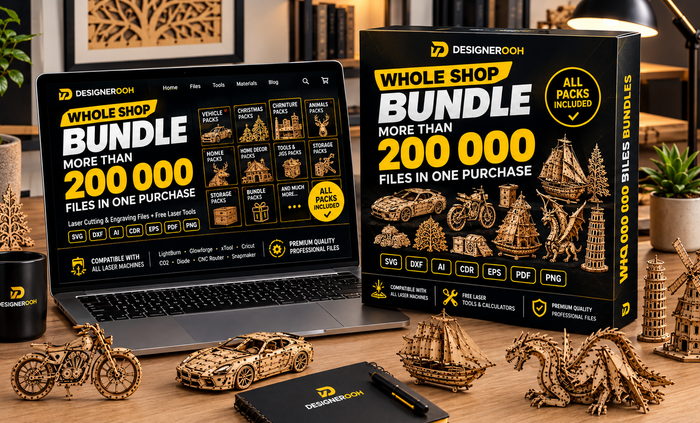
Whole Shop Bundle
A digital download that, per the product page, includes all current DESIGNEROOH shop files and, as stated in the offer, all future files added to the shop. Collections cover Christmas designs, layered maps, wall art, earrings and engraving files for laser, CNC router and plasma work.
- Formats vary by collection
- Compatibility depends on file, machine and software
- Check current price and availability on the product page
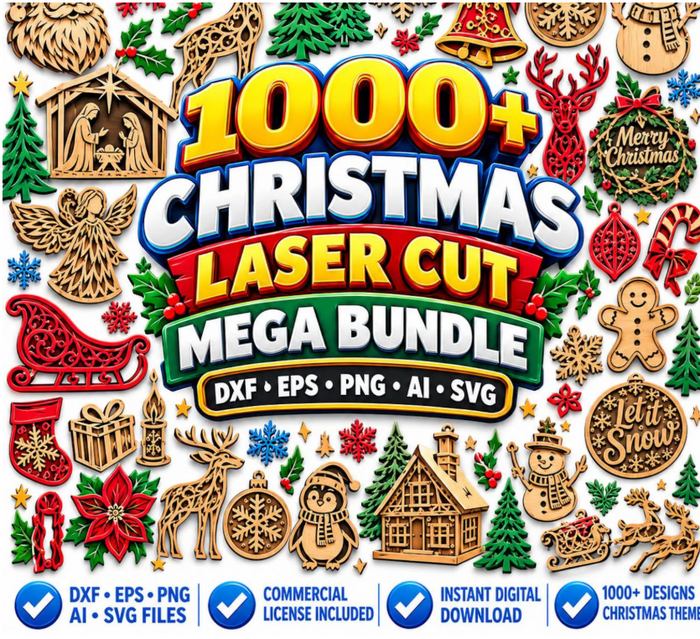
1000+ Christmas Laser Cut Mega Bundle
A dedicated Christmas laser cut collection if you want more seasonal designs.
See this bundle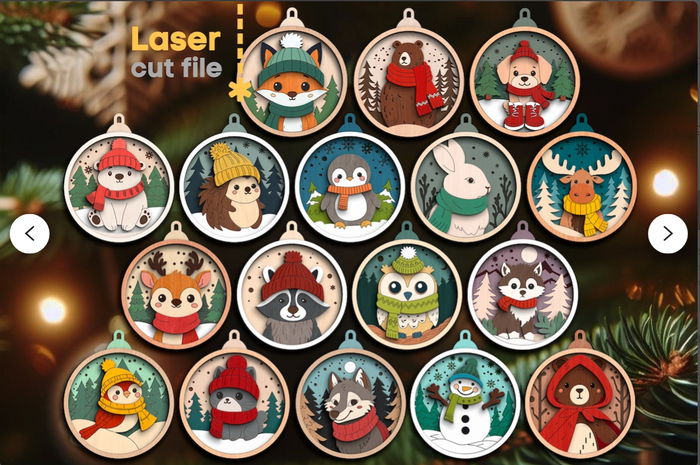
Christmas Tree Toys SVG Bundle
Winter forest animal ornaments, listed with SVG, DXF, AI and PDF files.
See this bundleCheck each product page for formats and details, or browse all DESIGNEROOH products.
Frequently asked questions
Is the 300 Christmas ornament pack free?
Yes. DESIGNEROOH offers it as a free download through the Google Drive link on this page.
Which file formats are included?
Open the Google Drive folder and check the files directly. Common laser formats include SVG and DXF, but confirm what is in the folder before planning your project.
Can I use the designs commercially or sell finished ornaments?
Check any licence or usage terms provided with the files. If none are included, contact DESIGNEROOH before selling products made from them.
Do the designs work with my laser cutter?
Compatibility depends on your machine, software and the file type. Check the format and size against your own setup and test with scrap material first.
Can I engrave names on the ornaments?
Most laser software lets you add text or engraving layers to a design. Check that the ornament has space for it, then run a test.
Where can I get help if my cut or engraving goes wrong?
Try the Laser Problems & Solutions guide, or contact DESIGNEROOH.
Start your Christmas laser projects today
Download the free 300 Christmas ornament designs, then explore more free tools and laser files on DESIGNEROOH.